
Okta SSO
Okta single sign-on for Mitimes requires an IT Admin to add and configure a new SSO provider in Mitimes and add a custom integration in Okta for their organisation. Note that SSO is mandatory when enabled and users will not be able to log in with their usual Mitimes username and password.
Setting up SSO – IT Admin Instruction
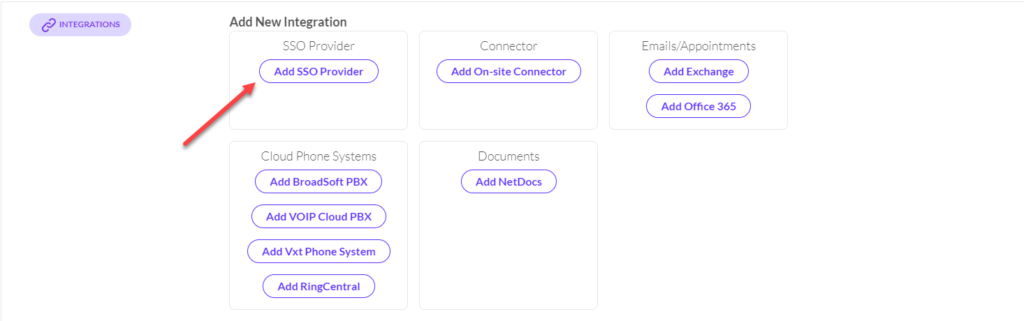
- From the integrations section in IT Admin, add a new SSO provider:
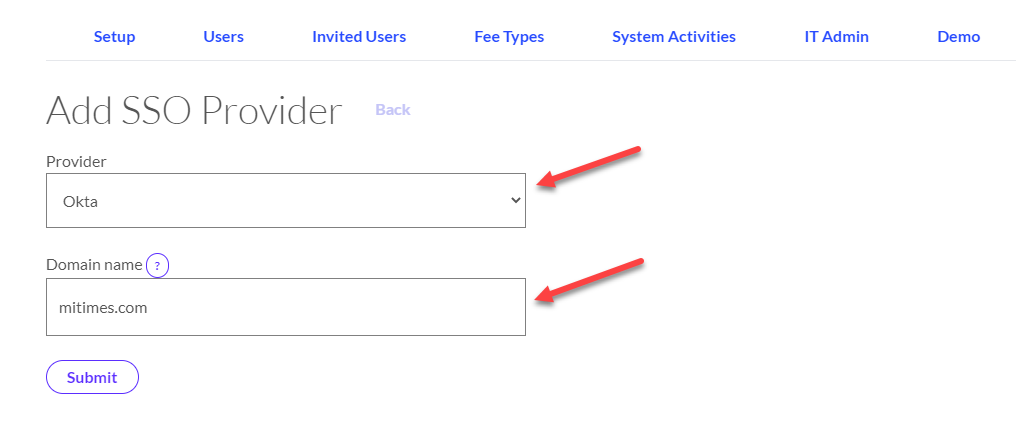
2. Make sure the provider is set to Okta and enter your organisation’s email domain, then submit.
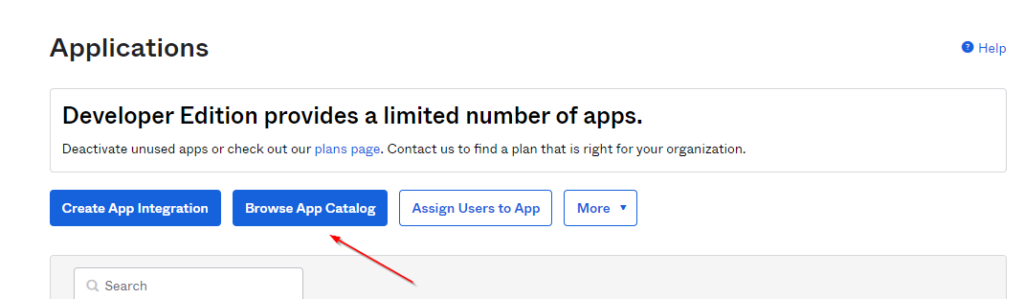
3. You now need to add the Mitimes app to your Okta environment from the app store. In the Okta Admin Console, navigate to Applications > Applications > Browse App Catalog:
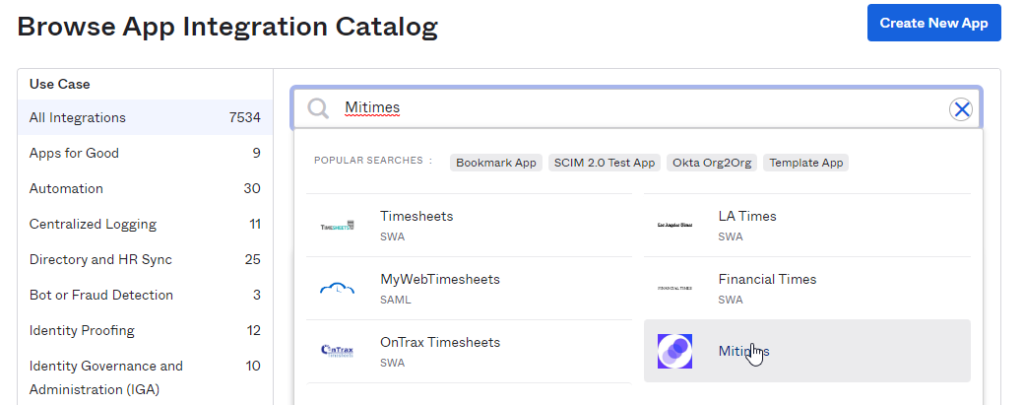
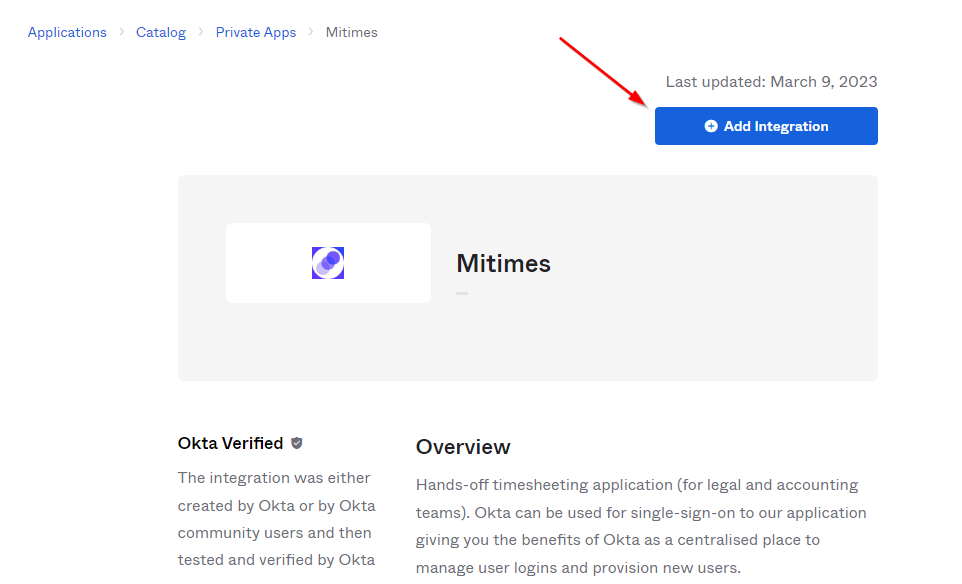
4. Search for Mitimes and click ‘Add Integration’:
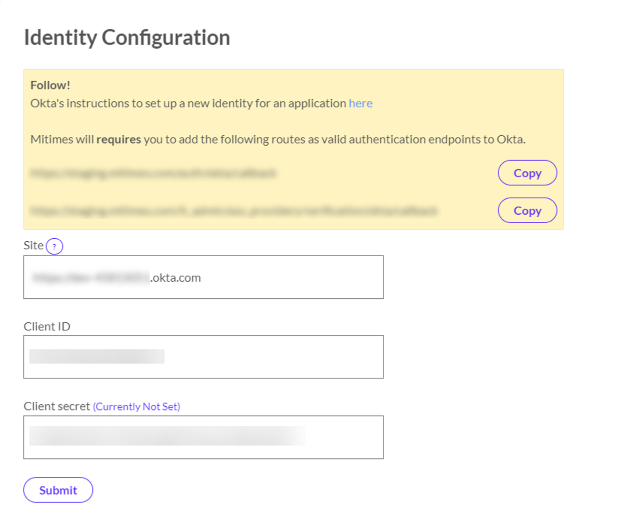
- After adding the Mitimes app to Okta in the admin console:
- Copy the Client ID and Secret for the app into your Mitimes SSO Identity Configuration. The client ID/secret can be found from the ‘Sign-On’ tab in the newly added Mitimes app in Okta.
- Enter your Okta site (must include https://) and submit.
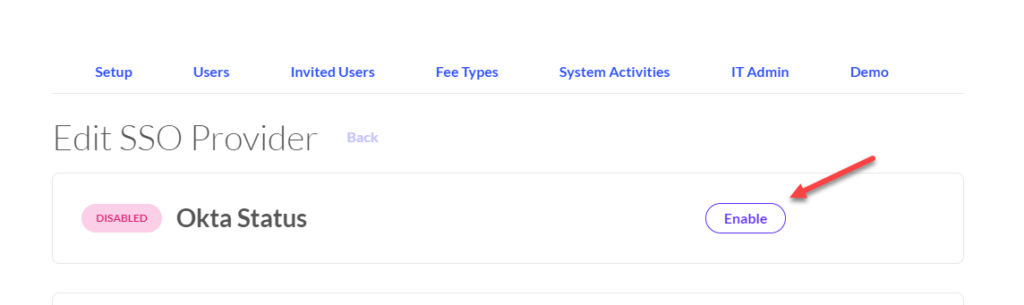
6. You can now enable SSO.
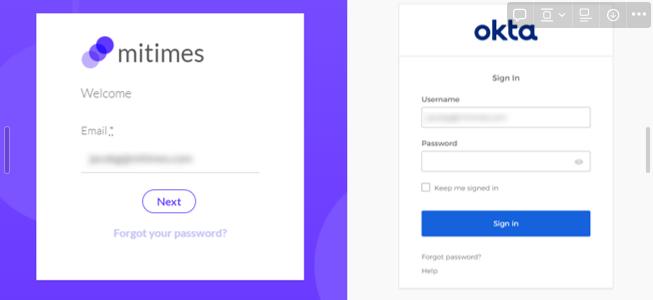
7. Now when users log into Mitimes:
- If already logged into Okta, they will be automatically authenticated and logged into Mitimes after entering their email and clicking ‘Next’.
- If not already logged into Okta, they will be directed to the Okta login page. After following the Okta log in process, they will be directed back to Mitimes.
Supported Features
- Mitimes currently supports SP-initiated SSO only.
Coming Soon
- Auto-provisioning for Mitimes users through Okta
- IdP-initiated SSO
Things to Note
- Once enabled, users will be required to log into Mitimes using their Okta account – they will not be able to use their usual Mitimes username and password.
- You cannot currently log in and bridge to Mitimes from the app dashboard in Okta itself (Internal Server Error will display if you try) so we recommend hiding the app from your user’s dashboards. We will be looking to support this feature in future.
- SSO is enforced for all users when enabled. This means if you have any Mitimes users that do not have an Okta account, they will not be able to log into Mitimes when SSO is enabled.